
MECCHA CHAMELEON Hider Camouflage Masterclass — Spot, Pose, Paint
Hider camouflage workflow for MECCHA CHAMELEON: Spot → Pose → Paint, two-tone Spoid sampling, prep timing, mode tips, and three private-lobby drills.
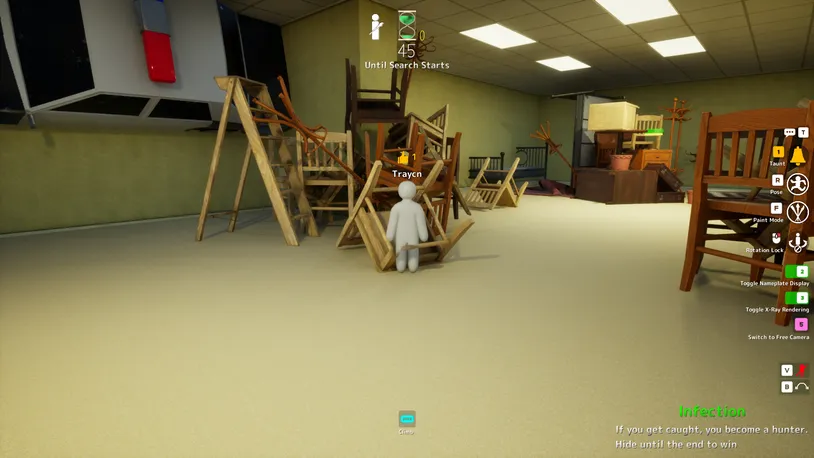
At a glance
Strong Hider rounds follow one order: Spot → Pose → Paint. Commit to a backdrop in the first ~15 seconds, set a silhouette that fits the scene, then Spoid local light and shadow before the hunt starts. Seekers usually spot wrong scale and outline before they care about exact hue.
The Spot → Pose → Paint framework
- Spot — commit early. Pick one backdrop: wall edge, floor seam, low furniture, or pattern run. Stop roaming; wandering eats pose and paint time.
- Pose — match the geometry. Press R and curl, crouch, or flatten so the outline reads correctly from the main approach angle.
- Paint — broad planes first. Press F, Spoid the lit tone beside your pose, fill large areas, then Spoid a shadow tone from the same surface.
Golden rule: fix the silhouette first. Extra brush detail rarely saves a standing human outline.
Backdrop quick picks
| Backdrop | Pose habit | Common tell |
|---|---|---|
| Flat wall | Flatten or side-align; cut standing height | Vertical column in a flat field |
| Low furniture | Crouch until the head stays below the prop lip | Head or elbow above the furniture line |
| Repeating pattern | Align with one repeat unit; two-tone only | Extra stripe, tile, or gap in the rhythm |
| Dark industrial plane | Low curl along pipes or seams | Flat blob with a crisp human edge |
Stage-specific prompts: map reading notes. Test one idea per round — not memorised coordinates.
Spoid: two-tone local paint
- Sample lit tone from the surface beside your pose — same material, same distance.
- Fill large planes on torso and limbs before touching edges.
- Sample shadow tone from the dark side of that same surface.
- Stop early — one restrained shadow pass beats ten noisy stripes.
Prep shortcut: 0–5s pick a spot, 5–10s set pose, 10–20s two-tone paint, then freeze. Running low on time? One wall, one pose, two Spoid samples still beats an unfinished hide. Practice silhouettes in the Camouflage Simulator before a live lobby.
Modes and post-round review
| Mode | Hider priority |
|---|---|
| Normal | Learn prep timing; review the results screen every round |
| Infection | Stay still as hunter count rises; avoid high-traffic lanes |
| Double | Pick spots that survive a reverse approach angle |
Since v1.2.0, ranking weighs distance and time in a Hunter’s line of sight. After each round, note whether scale, outline, or colour failed first — then change one variable next round. If a clip stops working, check patch notes before blaming your paint.
Three private-lobby drills
- Wall-only: flat wall, flatten pose, two Spoid samples — judge the door sightline only.
- Reverse-angle: walk the main Seeker route backward in your head; fix pose before colour.
- Stillness: no adjustments once the hunt starts — learn whether motion was the real tell.
Common mistakes
| Mistake | Fix |
|---|---|
| Paint before pose | Set pose first; repaint large planes only |
| Single flat colour | Lit + shadow Spoid on the same material |
| Copied viral clip | Borrow the idea, not the coordinates |
| Moving during hunt | Freeze when hunt audio starts |